Drop image file or click to analyze
Supports files up to 50 MB
Formats: JPEG, JPG, PNG, WEBP, SVG, BMP
Clipboard paste supported (Ctrl+V)
No Image Uploaded
Drop your image in the left panel to instantly generate perceptual hash signatures.
Zero-Server uploads: Hashing computes locally in browser sandboxing.
100% SecureDeveloper First
100% Free
No Account Required
Privacy First
Client-Side Process
Files Deleted
Auto Revocation
High Precision
Up to 1024-bit hashes
Interactive
Hamming Gauges
Responsive
Mobile Gesture Ready
Local Browser Sandboxing
Perceptual Image Hash Generator
Compute advanced Perceptual (pHash), Difference (dHash), and Average (aHash) values. Compare visual similarity or scan files for near-duplicates without server uploads.
What is a Perceptual Image Hash?
Welcome to the premium Perceptual Image Hash Generator and similarity analysis platform. This developer-centric utility allows you to compute and visualize unique image fingerprints directly in your web browser. Generate cryptographic-like image hashes—including Perceptual Hash (pHash), Difference Hash (dHash), and Average Hash (aHash)—to detect near-duplicates, index large image catalogs, check similarity scores, and protect visual digital assets.
Unlike standard cryptographic checksums (like MD5 or SHA256) which change completely if a single pixel is altered, perceptual image hashing models the human visual system. It creates a compact digital fingerprint that remains stable even if the image is resized, compressed, format-shifted, or minor color adjustments are made. This capability makes perceptual hashing crucial for modern reverse image search engines, deduplication pipelines, copyright tracking, and digital forensics.
The Problem with Cryptographic Hashes
- Cannot be used to determine visual resemblance or similarity between two files.
- Extremely sensitive: even a 1-pixel shift outputs a completely different hash string.
- Not suitable for deduplication, catalog indexation, or rights tracking.
Why Use Perceptual Hashing?
Creating visual fingerprints handles real-world assets efficiently, ignoring minor compression shifts.
01
Duplicate Identification
Instantly find identical or near-identical image copies inside large media folders and database directories.
02
Reverse Image Search
Build lightweight content-based retrieval indexes without needing resource-heavy machine learning systems.
03
Asset Rights Registry
Register proprietary visual media hashes to monitor networks and identify unauthorized image copies.
04
Compression Resiliency
Stable visual fingerprint generation that remains completely identical across scaling, JPEG artifacts, and resizing.
Supported Image File Formats
Our free browser-based fingerprinting engine analyzes and computes data from all standard image types.
Standard JPEG
.JPG
Lossless PNG
.PNG
Google WebP
.WEBP
Graphics Interchange
.GIF
Microsoft Bitmap
.BMP
Tagged Image
.TIFF
How to Generate & Compare Image Hashes Online
1
Select Analyzer Tab
Choose between 'Single Fingerprint' for analyzing one image, 'Similarity Comparison' to check two images side-by-side, or 'Batch Deduplication' for processing lists of images.
2
Upload Image Files
Drag and drop your images into the designated dropzone area or click to select files from your file manager. Standard formats like JPG, PNG, and WebP are fully supported.
3
Generate Hashes in Real-Time
The tool processes your images instantly upon upload, converting pixels to grayscale and calculating frequencies to output hex strings and binary matrices.
4
Analyze and Compare Visual Fingerprints
Examine calculated values and hover over technical tooltips. If comparing, adjust the similarity threshold to identify identical or near-duplicate matches.
5
Export Reports and Data
Copy raw hash values to your clipboard or download standard CSV/JSON reports containing names, dimensions, and computed fingerprints.
Why Choose ImageMagix?
Unlike traditional online converters that force you to upload your assets to third-party databases, ImageMagix executes all processes locally inside browser sandboxes. This structure provides total security, speed, and privacy.
Advanced Hashing Suite: Compute pHash (DCT-based), dHash (difference-based), and aHash (average-based) in parallel.
Interactive Fingerprint Visualizer: See your image's unique visual fingerprint rendered onto an 8x8 matrix display.
Side-by-Side Similarity Engine: Load two different images to measure their visual correlation, calculate Hamming distances, and view matching grids.
Batch Processing & Deduplication: Drop multiple images at once to index, compare, and instantly detect duplicates within your list.
JSON & CSV Report Exports: Export computed hashes and duplication statistics into developer-friendly formats for API integration.
100% Client-Side & Secure: All calculations are processed locally inside your web browser. Your images never touch a server, keeping your data confidential.
Browser-Based Security Features
No Server UploadsFiles are read locally using JavaScript FileReader and HTML5 Canvas API endpoints. Zero network traffic is spent uploading photos.
Local Data CleanupMemory allocations and canvas context grids are instantly released and garbage-collected upon resetting or closing browser tabs.
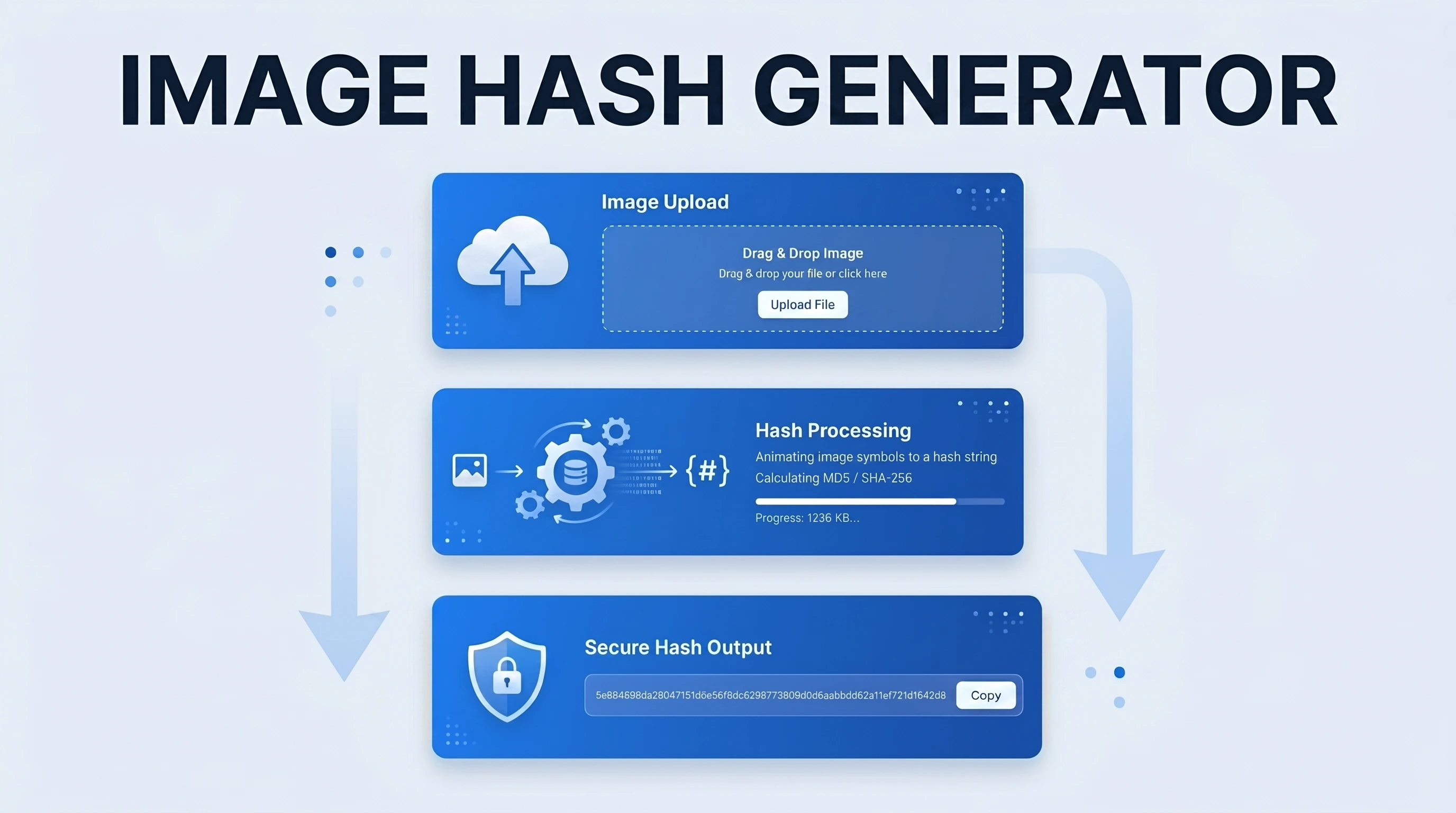
Understanding Visual Signatures & Fingerprinting
What Is an Image Hash?
An image hash is a compact, digital fingerprint computed from the visual features of an image. Unlike cryptographic hashes (such as MD5 or SHA256) which change completely with the slightest 1-bit alteration, an image hash is designed to change proportionally to visual modifications. This means that two images that look visually similar to a human will produce hashes that are identical or very close. This makes image hashing highly effective for organizing digital libraries, identifying copies, and finding similar pictures without relying on manual metadata tagging.
What Is pHash (Perceptual Hash)?
Perceptual Hash (pHash) is a robust image hashing algorithm that operates in the frequency domain. It converts the spatial information of an image into frequency components using a Discrete Cosine Transform (DCT). By resizing the image to a 32x32 square, converting to grayscale, computing the 2D DCT, and keeping only the low-frequency coefficients (specifically the top-left 8x8 matrix), pHash captures the general structures, shapes, and gradients of the image. Because low frequencies change very little under edits like scaling, rotation, watermarking, or JPEG compression, pHash is highly resilient and considered the industry standard for visual similarity matching.
How Image Hashing Works
Image hashing follows a multi-stage pipeline to convert complex visual data into a compact fingerprint. First, the image is resized to a small square (typically 8x8 for aHash and dHash, or 32x32 for pHash) to discard high-frequency detail and establish a uniform size. Next, it is converted to grayscale to strip color dependence. The algorithm then analyzes the luminance values: aHash compares each pixel to the mean, dHash calculates brightness differences between horizontal neighbors, and pHash applies a Discrete Cosine Transform. Finally, the comparisons are encoded into a sequence of bits (0s and 1s) and converted to a hexadecimal string. Similarity analysis is done by computing the Hamming distance between two hex strings, representing the number of bit values that differ.
Why Use an Image Hash Generator?
Digital asset managers, security professionals, and web developers use image hashing to solve complex scale and asset challenges. The primary use cases include: 1. Duplicate Image Detection: Automatically finding and merging duplicate files in massive media libraries to save storage. 2. Content Verification: Verifying that an image has not been maliciously tampered with, while allowing benign modifications like compression. 3. Copyright Monitoring: Creating a registry of proprietary image fingerprints to scan the web and find unauthorized duplicates. 4. Reverse Search Systems: Setting up simple content-based retrieval databases to recommend visually similar items. 5. Digital Forensics: Cross-referencing visual assets with databases of known files to locate illegal or sensitive materials.
pHash vs MD5 vs SHA256: The Key Differences
Understanding the difference between cryptographic and perceptual hashes is critical for developers. Cryptographic hashes (MD5, SHA256, SHA1) are design-engineered to be extremely sensitive to any changes (avalanche effect). If you compress a JPEG or strip its EXIF metadata, its MD5 changes completely, making duplicate detection impossible. In contrast, Perceptual hashes (pHash, dHash, aHash) represent the visual content of the image. Two identical-looking images with different file sizes, formats, or compression ratios will yield the exact same perceptual hash (or one with a minimal Hamming distance, such as 1 or 2), making them ideal for identifying visually similar images.
How to Generate an Image Hash Online
Our web-based utility makes generating perceptual image fingerprints simple: 1. Load the Image: Drag and drop a file or click to select one from your device. 2. Processing: The browser automatically computes the average, difference, and DCT frequencies. 3. Copy Hash: Instantly copy the resulting hex strings. 4. Interactive Fingerprint: View the black-and-white 8x8 block visualization showing the binary patterns. 5. Batch Compare: Switch tabs to compare two images or run a bulk list of files for rapid duplicate classification.
Why Choose ImageMagixOnline?
Our platform is designed by and for developers. Key benefits include: 1. Absolute Privacy: All calculations happen locally inside your browser sandbox using JavaScript. No files are uploaded to our servers. 2. Developer-Friendly: Outputs are clean, with easy exports to CSV/JSON format for indexing scripts. 3. Comprehensive: Gives you parallel readouts of pHash, dHash, and aHash, not just a single hash. 4. Fully Responsive: Optimized for desktop, tablet, and mobile browsers so you can analyze assets on the go. 5. Visualizer: Features a visual rendering of the binary layout, making debugging and learning intuitive.
Best Use Cases for Image Fingerprinting
Image fingerprinting is used across a variety of fields: E-commerce stores use it to cluster duplicate product images uploaded by different vendors. Photographers use it to check if their portfolios are copied elsewhere on the web. Media platforms filter out duplicate uploads from user submissions. Cybersecurity databases index malicious or sensitive media. Research groups cluster massive image datasets to filter out redundant samples before training machine learning models.
Perceptual Hashes vs Cryptographic Checksums
| Characteristic | Perceptual Hashing (pHash, dHash) | Cryptographic Hashing (MD5, SHA-256) |
|---|---|---|
| Matching Focus | Visual resemblance, layouts, and gradients. | Strict 1:1 raw binary data representation. |
| Resilient to Compression | ✓ Yes – same visual structure, same hash | ✗ No – changes completely (avalanche effect) |
| Resilient to Resizing | ✓ Yes – dimensions normalized first | ✗ No – pixel count changes total byte array |
| Hash Size & Output | 64-bit Hexadecimal (16 characters) or 64-bit binary. | 128-bit (MD5) to 256-bit (SHA-256) hex. |
| Primary Use Case | Duplicate identification, copyright monitoring, reverse visual search. | Data integrity audits, digital signups, secure checksums. |
Frequently Asked Questions
Conclusion
Transform your asset management workflow with ImageMagixOnline's Perceptual Image Hash Generator. Generate stable, secure, and client-side image fingerprints (pHash, dHash, aHash) to check similarity, identify duplicates, and index digital assets with absolute confidence.
Related Development & Image Utilities
Integrate other useful data and media tools in your workflow.