Free Online Markdown to TXT Converter & Plain Text Extractor
LOAD SAMPLE:
Markdown Source
189 words1341 chars41 lines
⏱ ~1 min read
Markdown to TXT Document Studio
100% Client-Side
Extract clean plain text, strip markdown formatting, and convert READMEs with instant browser-based accuracy.
Zero Server Uploads
ASCII Table & GFM Extraction
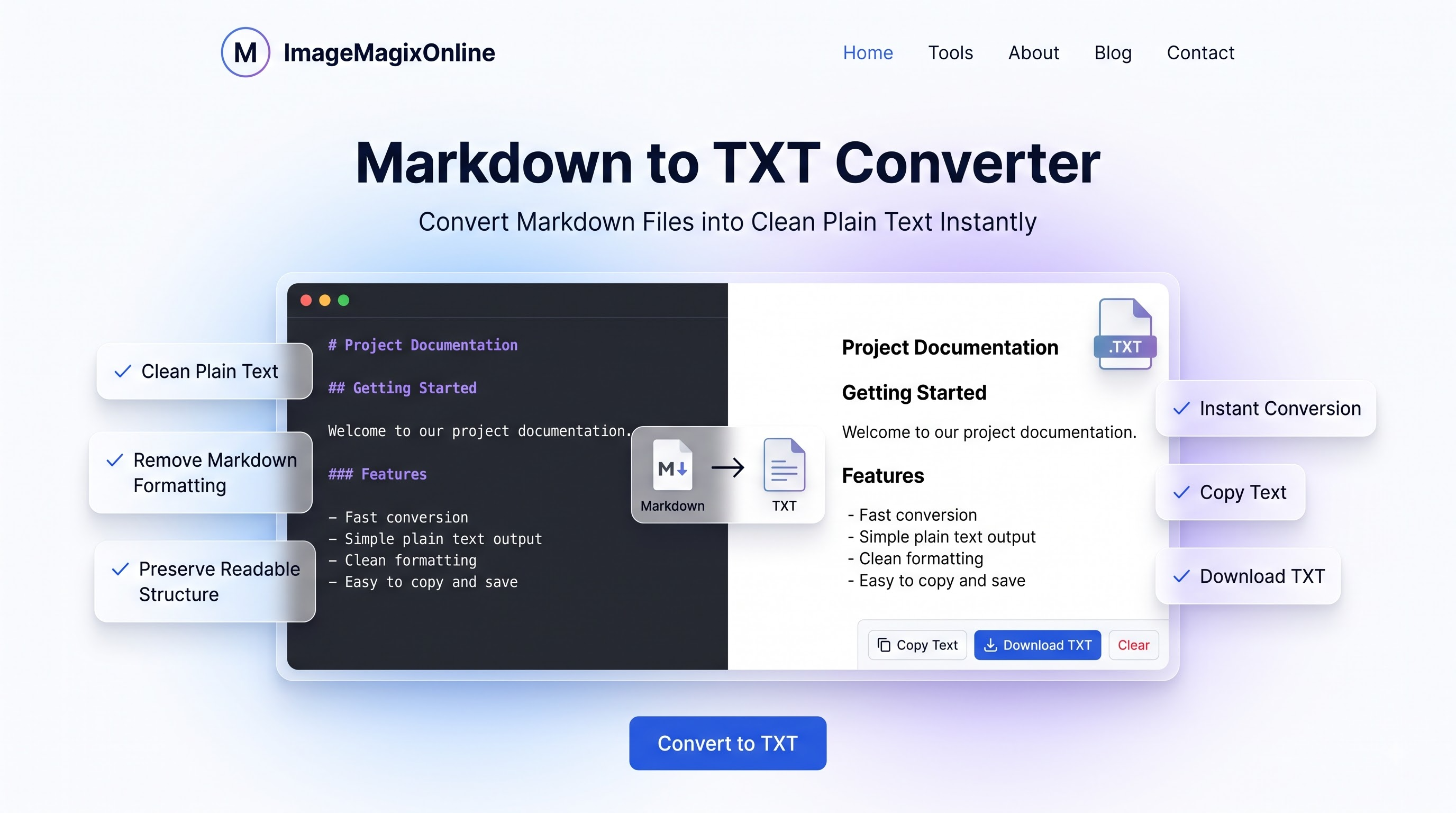
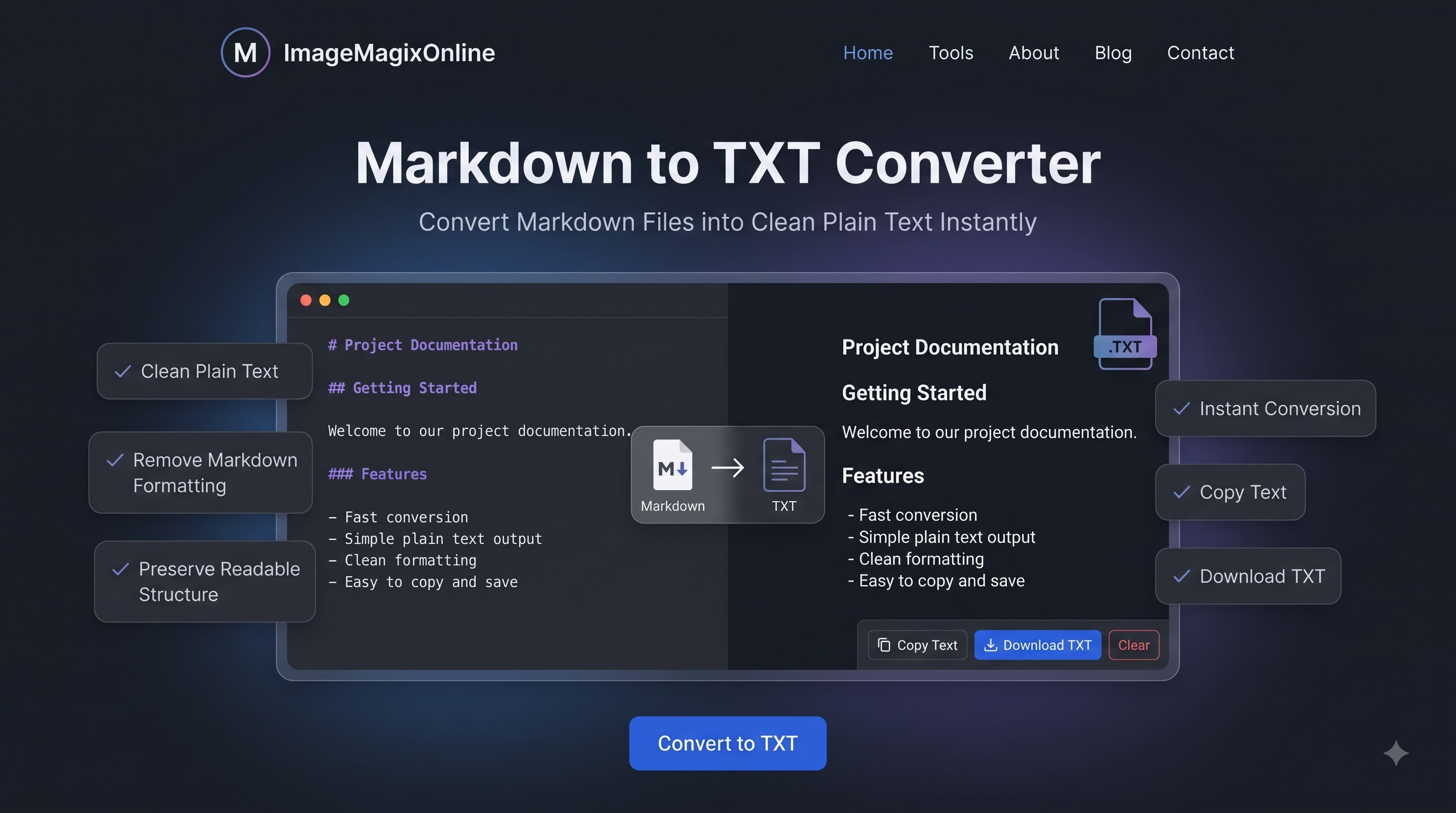
Privacy First
100% Client-side
100% Free
No Account Required
ASCII Tables
Plain Text Grid
Clean Extraction
Instant Copy & Download
Free Online Markdown to TXT Converter & Plain Text Extractor
Convert Markdown (.md, .markdown) files, GitHub READMEs, technical documentation, blog drafts, and formatted notes into clean, readable Plain Text (.txt) instantly in your browser. Whether you need to remove Markdown formatting for plain text emails, strip markdown syntax from notes, prepare content for system logs, word processors, documentation archiving, or plain text previews, this free online markdown to text converter delivers 100% browser-based conversion with zero server uploads — keeping your drafts, code snippets, and confidential documents completely private and secure.
Common Markdown to Plain Text Use Cases
Discover how developers, writers, and data teams strip Markdown tags for plain text workflows.
Plain Text Email & Messaging
Convert formatted Markdown notes into clean, unformatted plain text suitable for plain text emails, SMS, Slack messages, or legacy messaging tools that don't render markdown.
Documentation Archiving & Logs
Extract raw plain text from technical READMEs, wikis, and project documentation for search indexing, plain text logs, changelogs, or long-term document archiving.
Word Processors & Note-Taking Apps
Strip markdown markup tags before pasting content from Obsidian, Notion, or GitHub into standard word processors, legacy CMS text fields, or plain text note editors.
NLP Data Cleaning & AI Prompting
Clean markdown formatting from articles, blog posts, and text datasets before feeding them into AI prompts, LLM training datasets, or NLP data pipelines.
System Configuration & README Previews
Convert technical specification files and repository READMEs into plain `.txt` files for inclusion in software distribution packages or terminal text readers.
Audio Text-to-Speech Processing
Strip inline markdown markup and formatting codes to create pristine plain text files optimized for screen readers and automated text-to-speech voice generators.
How to Convert Markdown to Plain Text (.txt)
Follow these simple steps to extract formatted plain text from Markdown files in seconds.
1
Paste or Import Your Markdown File
Paste your Markdown (.md) content into the split-screen editor, drag and drop a `.md` or `.markdown` file, or click a sample template to get started immediately.
2
Configure Conversion Options
Adjust settings for heading formatting, hyperlink handling (text only vs. URL included), list bullet styles, table layout (ASCII grid vs. tab-separated), and extra blank line trimming.
3
Inspect Live Plain Text Output
Review the live plain text output along with real-time character, word, and line count stats as you edit your Markdown source.
4
Copy or Download Your .TXT File
Click 'Copy Text' to copy the clean plain text to your clipboard, or click 'Download .txt' to save your converted plain text file instantly.
Key Features & Capabilities
Engineered for maximum text extraction accuracy, privacy, and performance.
100% Free & Private, Client-Side Engine: All markdown parsing and plain text extraction happen directly in your browser using JavaScript. Your notes, specs, README files, and documents are never uploaded or sent to external servers.
Accurate Markdown Syntax Stripping: Intelligently removes bold, italics, strikethrough, inline code backticks, images, blockquotes, and heading symbols while preserving natural paragraph breaks and readability.
Customizable Link & Image Modes: Choose whether to keep link text only, append the target URL in parentheses, or strip hyperlinks entirely, based on your plain text formatting needs.
Formatted ASCII & Plain Tables: Transform GFM (GitHub Flavored Markdown) data tables into neatly aligned ASCII grid tables or tab-separated values (TSV) suitable for plain text viewing and spreadsheet import.
Full GFM & List Support: Maintains ordered numbered lists, bullet points, and task checkboxes in clean, easy-to-read plain text formatting.
Instant Copy & Download: Copy your extracted plain text straight to the clipboard with one click, or instantly download a clean, ready-to-use `.txt` file — fast and free, every time.
CommonMark & GitHub Flavored Markdown (GFM) Stripping Engine
Converting Markdown to plain text requires parsing syntax markers such as `#` headings, `**` bold text, `[link text](url)` anchors, `> ` blockquotes, and `|` table delimiters. Our browser-based extraction engine constructs an AST (Abstract Syntax Tree) to isolate clean textual nodes while removing structural markup syntax. It preserves paragraph structure, list hierarchies, and table columns while giving you full control over how links, lists, headers, and code fences are converted into plain text.
Why Client-Side Browser Plain Text Conversion Guarantees Privacy
Many traditional web converters send your documents to external servers to process plain text extraction scripts. This introduces severe privacy risks for proprietary code comments, internal technical specs, personal notes, and unreleased articles. ImageMagixOnline processes 100% of Markdown conversions locally in your browser using JavaScript. Your files, notes, and credentials are never uploaded to any cloud server, guaranteeing complete privacy and data security.
Converting GitHub README Files & Documentation to Plain Text
GitHub `README.md` files are packed with shields, Markdown tables, badge links, code snippets, and GFM checkboxes. When distributing documentation as plain text release notes, plain text emails, or terminal manuals, raw Markdown markers clutter readability. Our converter cleanly strips badge image tags, converts Markdown tables into neatly aligned ASCII grid boxes, formats lists, and outputs clean plain text ready for software releases or distribution.
Markdown vs Plain Text (.txt): Syntax, Archiving & Search Indexing
Markdown is an abstract plain-text format that relies on human-readable syntax markers for formatting. Plain text (`.txt`), on the other hand, contains zero markup syntax markers, making it universally portable across every operating system, terminal, legacy database, and plain text search engine. Removing Markdown tags ensures your text can be processed cleanly by search indexers, data mining scripts, and legacy text editors without unwanted asterisks or brackets.
Customizing Link, Image, List, and ASCII Table Extraction Rules
Different plain text workflows require different extraction logic. For Emails, you may want link text accompanied by the target URL in parentheses ([Text] (https://...)). For Clean Drafts, you may prefer stripping links entirely to leave only the anchor text. For Tables, you can select between visually formatted ASCII grid tables (+---+---+) or tab-separated values (TSV) suitable for spreadsheet copy-pasting.
Preserving Structure: Bullet Indents, Line Trimming & Code Fences
Stripping Markdown doesn't mean destroying document readability. Our engine includes intelligent structure-preserving options: list items maintain proper indent levels (`•` or `-`), blank lines can be trimmed to avoid excessive white space, and code blocks can either be converted to plain indented blocks or kept inside code fence markers based on your preference.
Frequently Asked Questions
Everything you need to know about converting Markdown to Plain Text (.txt) locally.
Summary & Conclusion
The Markdown to TXT Document Studio on ImageMagixOnline provides an instant, private, and precise solution for stripping Markdown syntax and extracting clean plain text (.txt). With customizable extraction rules, GFM ASCII table formatting, and 100% client-side privacy, ImageMagixOnline delivers studio-grade text conversion right in your browser — fast, free, and secure.
Explore Related Document Utilities
Markdown to HTML Converter
Instantly convert Markdown to clean, semantic HTML online. Free, no signup, supports GFM syntax. Copy code or download HTML file directly.
Markdown to PDF Converter
Convert Markdown & GFM files, READMEs, technical docs, and resumes into publication-ready PDFs.
Markdown to Word Converter
Convert Markdown & GFM files, READMEs, technical docs, and resumes into Microsoft Word (.docx, .doc) files.
Image to Text Converter (OCR)
Extract text from images using Optical Character Recognition.
Facing issues or want to request a feature?
Let us know immediately! We would love to hear your feedback.