Free Online Markdown to EPUB Converter & eBook Studio — MD to EPUB3 Instantly
LOAD SAMPLE:
Markdown Source
164 words949 chars24 lines
⏱ ~1 min read
Markdown to EPUB Document Studio
100% Client-Side
Author Markdown books, technical specs, and manuscripts with live preview and instant EPUB3 export.
Zero Server Uploads
EPUB3 & GFM eBook Parity
Privacy First
100% Client-side
100% Free
No Account Required
EPUB3 Standard
eReader Compatible
Clean eBook Output
Instant Export
Free Online Markdown to EPUB Converter & eBook Studio — MD to EPUB3 Instantly
Welcome to the free browser-based Markdown to EPUB eBook Studio—a professional document authoring and eBook compilation workspace engineered for authors, self-publishers, technical writers, software developers, and researchers. Convert Markdown (.md, .markdown) files, GitHub READMEs, technical specifications, and full book manuscripts into standard, valid EPUB3 eBooks compatible with Kindle, Apple Books, Kobo, Nook, PocketBook, Google Play Books, and mobile eReader apps. Built with a 100% free, client-side engine, all document parsing, metadata structuring, and EPUB compilation execute locally in your web browser with zero server uploads — no software download, installation, or account required.
Common Markdown to EPUB Use Cases
Discover how authors, technical writers, and self-publishers compile Markdown into eBooks.
Self-Publishing Novels & Non-Fiction Books
Draft manuscripts in Markdown and compile them into clean EPUB3 files ready for distribution on Apple Books, Kobo, Google Play, and Amazon KDP self-publishing.
Technical Books & Developer Guides
Package technical documentation, API specifications, and code tutorials into archivable EPUB eBooks with code block formatting.
Academic Research & Dissertations
Convert research papers, lecture notes, and study guides into portable eReader books formatted with serif typography.
Offline Documentation Packages
Bundle product manuals, team wikis, and software documentation into lightweight offline EPUB books for mobile reading.
Blog-to-eBook Compilation
Combine articles and blog posts written in Markdown into structured eBooks for subscribers, newsletter rewards, or lead magnets.
Personal Note & Obsidian Archives
Export personal notes and Obsidian vaults into readable EPUB format for offline reading on e-ink devices like Kobo or Onyx Boox.
How to Convert Markdown to EPUB eBook (.epub)
Follow these simple steps to compile your Markdown manuscript in seconds.
1
Enter or Import Your Markdown Manuscript
Type directly into the Markdown editor, paste manuscript text, drag-and-drop a `.md` file, or select a pre-loaded sample template.
2
Inspect the Real-Time Preview
Review the rendered eBook preview in real time while tracking word counts, character totals, and estimated reading time.
3
Configure Book Metadata & Styling
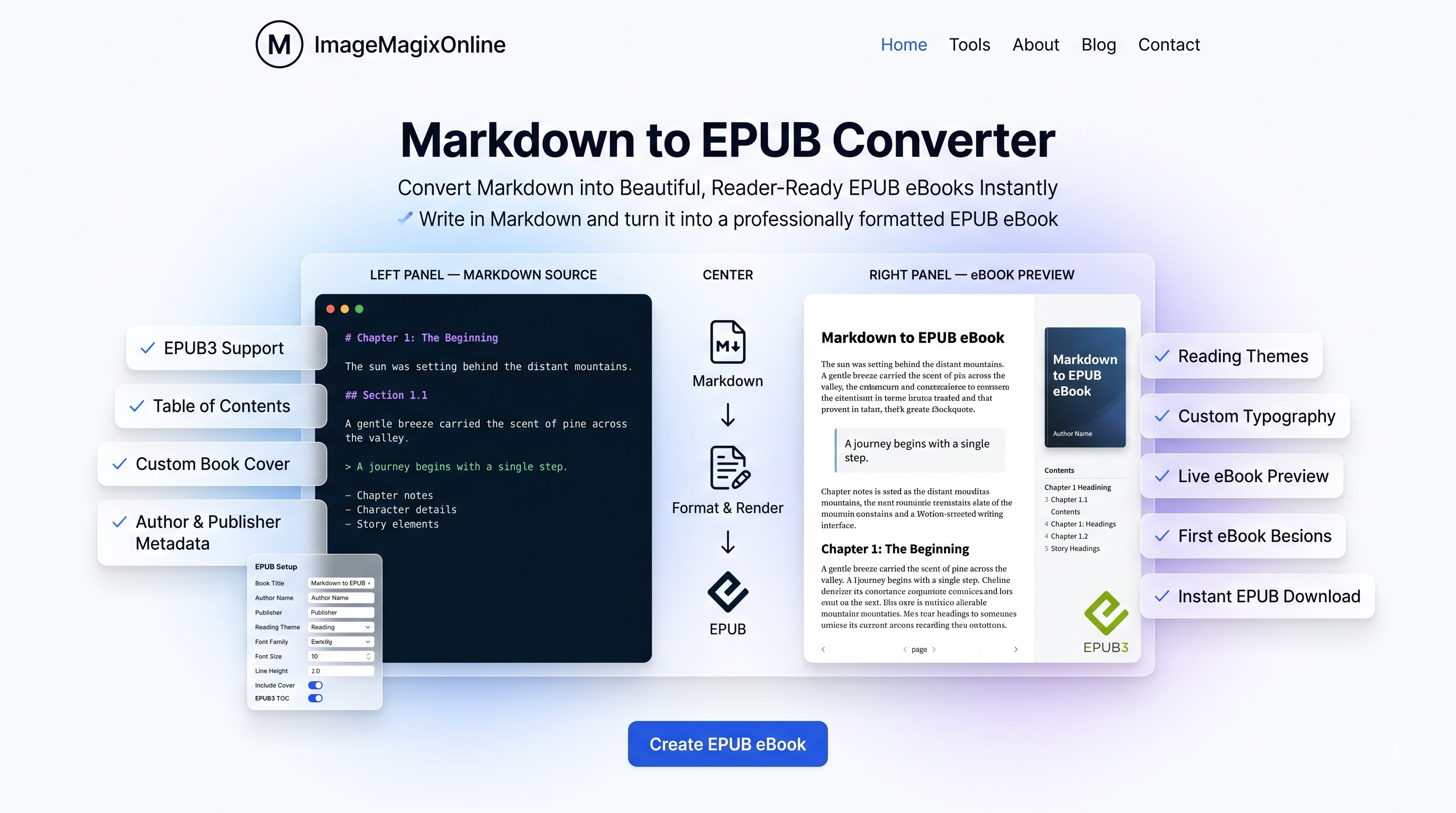
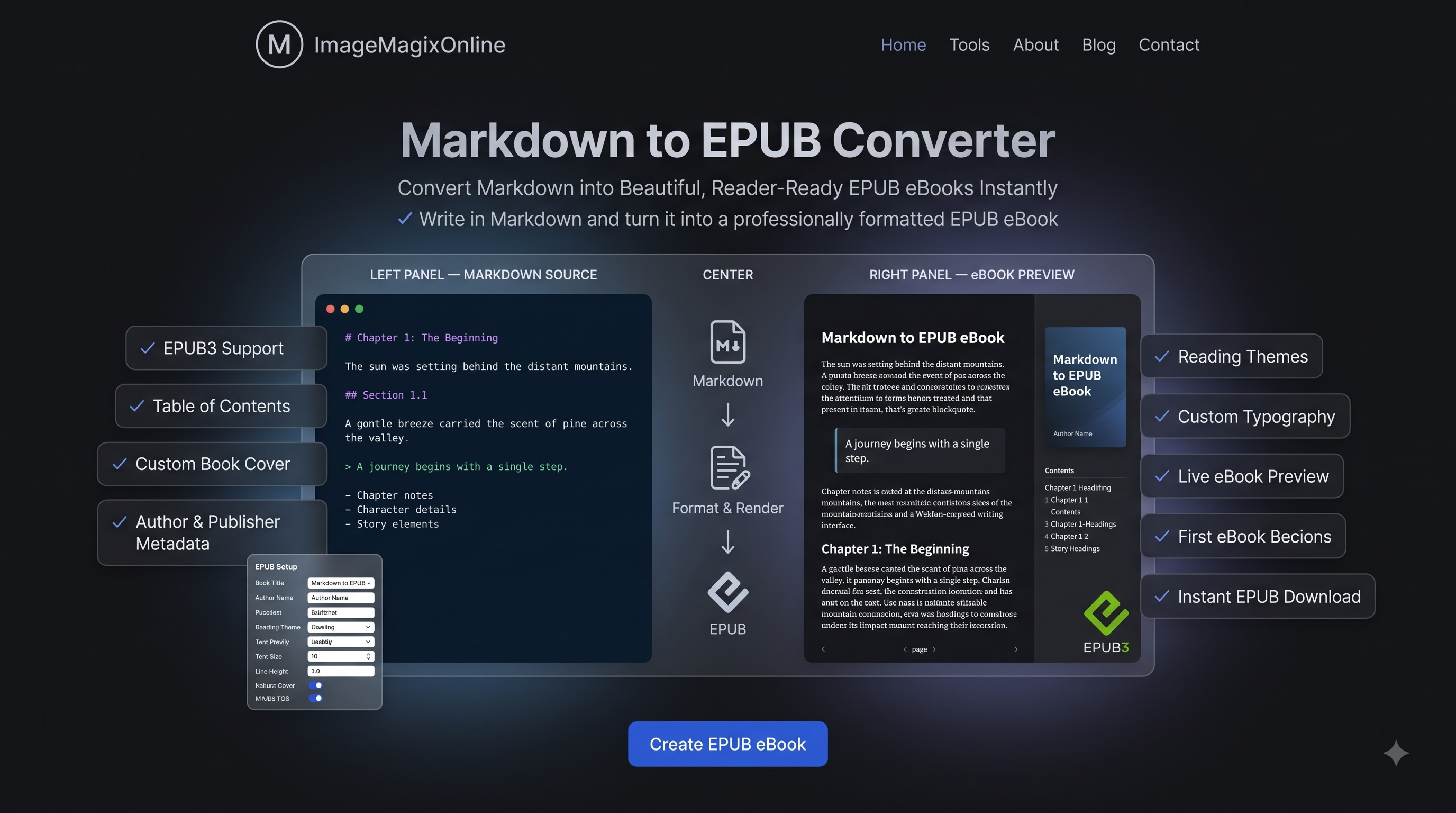
Specify Book Title, Author, Language, custom font family, line height, and font size in the EPUB Setup panel.
4
Export & Download EPUB File
Click 'Download .epub' to package and save your compliant EPUB3 eBook archive directly to your device.
Key Features & Capabilities
Engineered for maximum eBook compatibility, privacy, and performance.
100% Free & Client-Side Privacy: Your book drafts, manuscripts, and embedded code are parsed and compiled entirely inside your browser memory. Zero data is sent to external servers, keeping unpublished work confidential.
EPUB3 & GFM Syntax Parity: Full support for GitHub Flavored Markdown, including tables, code blocks, task lists, blockquotes, and custom list formatting.
Split-Screen Live Preview: Side-by-side Markdown source editor and rendered eBook page preview with synchronized state updates and character/word stats.
Custom eBook Metadata & Furniture: Set Book Title, Author Name, Publisher, Language, Cover Page options, and automatic Table of Contents (TOC) for Amazon KDP-ready publishing.
Restrained eBook Typography Themes: Select from curated reading themes (Clean Modern, Academic Serif, Minimalist Monochrome, Dark Mode Reader).
Instant One-Click EPUB Export: Download a fully compliant `.epub` file ready for Apple Books, Google Play Books, Kobo, Nook, and Kindle conversion — free, fast, and unlimited.
EPUB3 Specification Compliance & ZIP Archive Structure
An EPUB file is an open, standards-based ZIP archive containing structured XHTML chapter content, CSS paged media rules, and XML metadata manifests. Our converter packages your Markdown content into a fully compliant EPUB3 structure, including mimetype (uncompressed), META-INF/container.xml, content.opf (manifest, spine, metadata), nav.xhtml (eBook navigation), toc.ncx (backward compatibility for legacy eReaders), and formatted XHTML chapter documents.
Why Client-Side EPUB Compilation Guarantees Manuscript Security
Traditional online eBook converters transmit your raw manuscripts and unreleased drafts to remote cloud servers to run command-line tools like Pandoc or Calibre. This exposes your intellectual property to potential server logs and unauthorized data access. ImageMagixOnline processes 100% of EPUB compilation locally in your browser sandbox using JavaScript and JSZip. Your text, chapters, and metadata never leave your computer.
Formatting Code Snippets, Tables, and GFM in EPUB eBooks
Technical eBooks require specialized formatting to handle code blocks and multi-column data tables on small eReader screens. Our EPUB engine converts Markdown code fences into styled code blocks with word wrapping to prevent horizontal text clipping. GFM tables are compiled into semantic XHTML table structures with border styling optimized for e-ink and mobile screens.
Markdown vs EPUB vs PDF: Choosing the Right eBook Format
Understanding the architectural differences between Markdown, EPUB, and PDF helps produce better document designs. Markdown is an abstract plain-text representation. PDF is a fixed-layout format locking pixel coordinates. EPUB (Electronic Publication) is a reflowable e-book format that dynamically adapts font size, line spacing, and page layout to any screen size—from e-ink displays to smartphones. Converting Markdown to EPUB yields the ultimate portable reading experience for self-published authors.
Customizing Typography, Line Spacing, and Reading Themes
Readability is paramount for long-form eBooks. In the EPUB Setup drawer, you can choose font families suited for screen and e-ink reading: Inter (sans-serif for modern manuals), Merriweather or Georgia (serif for novels and academic works), or JetBrains Mono (monospace for code specs). Adjust font size (14px–20px) and line height (1.4–1.8) to craft your ideal reading layout.
Reading EPUB eBooks on Kindle, Apple Books, Kobo & Mobile Apps
Exported EPUB3 files are universally compatible across modern reading platforms. Open .epub files directly in Apple Books (iOS / macOS), Google Play Books (Android / Web), Kobo, Nook, PocketBook, or Calibre. For Amazon Kindle, you can send your generated .epub file using Amazon's official 'Send to Kindle' tool for automatic Kindle format (AZW3/MOBI) conversion.
Frequently Asked Questions
Everything you need to know about converting Markdown to EPUB eBooks locally.
Summary & Conclusion
The free Markdown to EPUB eBook Studio on ImageMagixOnline offers an intuitive, private, and powerful environment for converting Markdown manuscripts into standard EPUB3 eBooks. Whether you are self-publishing novels, technical manuals, or research papers, our client-side engine delivers compliant, reflowable eBooks instantly. Try our live online editor, configure your book metadata, and experience free, privacy-first eBook creation today.
Explore Related Document Utilities
Markdown to HTML Converter
Instantly convert Markdown to clean, semantic HTML online. Free, no signup, supports GFM syntax. Copy code or download HTML file directly.
Markdown to PDF Converter
Convert Markdown & GFM files, READMEs, technical docs, and resumes into publication-ready PDFs.
Markdown to Word Converter
Convert Markdown & GFM files, READMEs, technical docs, and resumes into Microsoft Word (.docx, .doc) files.
Markdown to TXT Converter
Instantly convert Markdown & GFM files, READMEs, technical docs into clean, formatted plain text (.txt). 100% browser-based & private.
Facing issues or want to request a feature?
Let us know immediately! We would love to hear your feedback.